
We’ve been looking into the best virtual assistant app for Android in 2026, and wow, there are a lot of choices. It feels like every phone comes with one built-in these days, but are they actually any good? We spent some time testing out the top contenders to see which ones really help us out and which ones just get in the way. If you’re wondering which app to pick, we’ve got you covered.
When we talk about virtual assistants on Android, Google Assistant is pretty much the default, right? It’s baked right into most phones, so it’s always there, ready to help. We’ve been using it for years, and it just keeps getting better. It’s really good at understanding what we say, even when we’re not super clear.
One of the best things is how it connects with other Google services. Need to find a restaurant and book a table? Google Assistant can pull up Maps, check reviews, and even make the reservation for you. It’s also fantastic for setting reminders, checking the weather, or just answering those random questions that pop into our heads. It’s the Swiss Army knife of voice assistants for Android users.
Here’s a quick look at what we find most useful:
It’s also pretty neat how it can handle follow-up questions without us needing to repeat the context. You can ask, "Who directed The Matrix?" and then follow up with "What else did he direct?" without missing a beat. It’s this kind of conversational ability that makes it feel so natural to use. If you’re looking for a general-purpose AI assistant, it’s hard to beat the capabilities available through Google Assistant.
We’ve found that the more you use it, the better it gets at anticipating your needs. It learns your preferences over time, making its suggestions and responses more relevant.
While it’s great for everyday tasks, it’s also evolving into something more. We’re seeing it integrate more advanced AI features, making it a powerful tool for more than just simple commands. It’s a solid choice for anyone who wants a virtual assistant that’s deeply integrated into their Android experience.
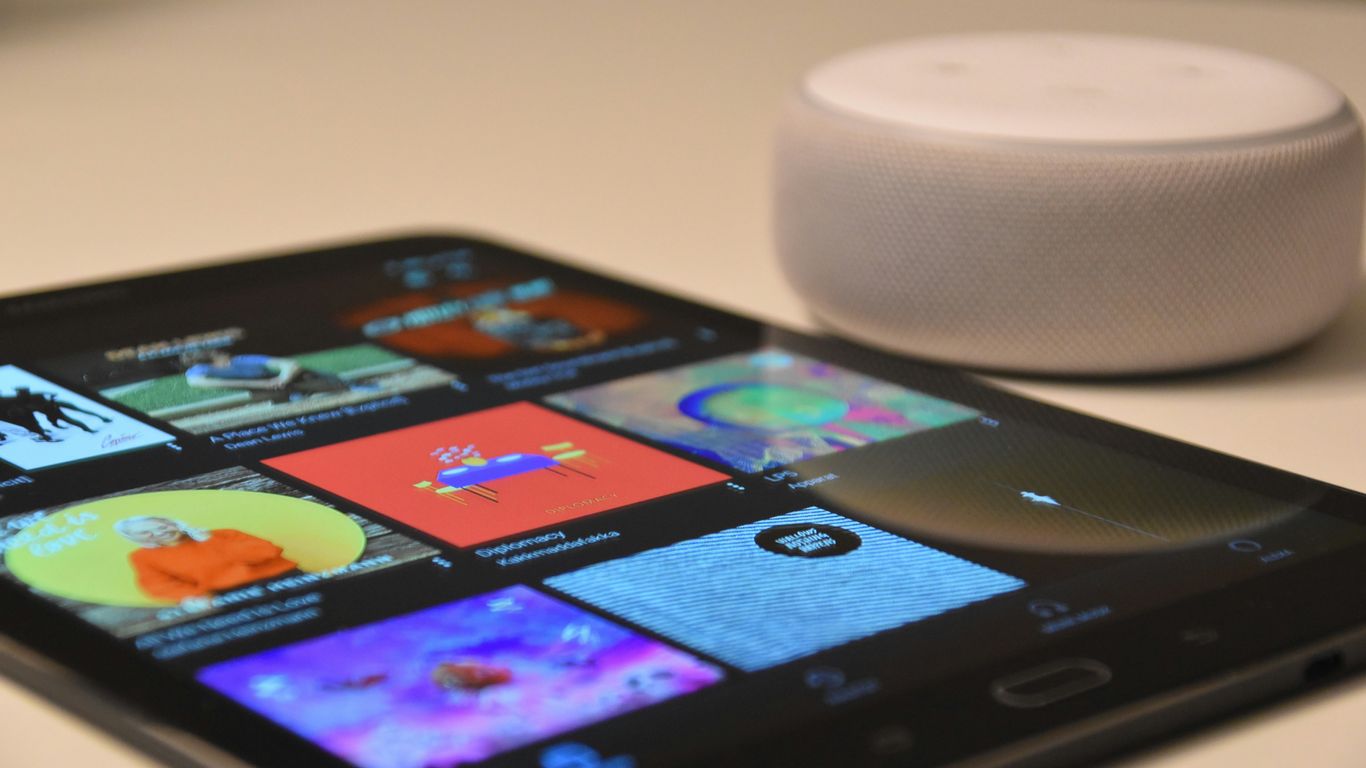
We’ve spent a good chunk of time with Amazon Alexa on our Android devices, and it’s still a solid contender. It’s more than just a voice assistant; it’s a hub for controlling smart home gadgets and getting quick answers. Setting up new Alexa-enabled devices is pretty straightforward using the app, which is a big plus if you’re building out your smart home ecosystem.
Alexa’s ability to manage daily tasks is where it really shines. We found its music control to be particularly good, easily integrating with various streaming services. Plus, keeping track of shopping lists or setting timers is a breeze. For those who like to stay informed, the news briefings are quite customizable, letting you pick your preferred sources.
Here’s a quick look at what we liked:
While it’s been around for a while, Amazon continues to update Alexa, and we’ve seen some neat improvements lately. Features like better querying and contextual reminders have made interacting with it feel more natural. It’s definitely worth checking out if you’re looking for a versatile assistant that can do more than just answer questions. You can manage your devices and get news updates directly from the Amazon Alexa App.
We noticed that Alexa’s contextual awareness has improved, making follow-up questions feel less like starting over. It’s a subtle change, but it makes a difference in longer conversations or when managing multiple requests.
We’ve been checking out Microsoft Copilot lately, and honestly, it feels like a bit of a Swiss Army knife for your phone. It’s built on some pretty smart tech from OpenAI, which means it can actually do some useful stuff beyond just setting timers. Think of it as a helpful assistant that’s always ready to lend a hand with tasks, whether you’re trying to draft an email or just need some quick info. It’s particularly good at generating text and ideas, making it a strong contender for creative work or just getting unstuck.
What we liked is how it integrates into the Microsoft ecosystem, but it’s also pretty handy on its own. You can ask it to summarize long articles, brainstorm project ideas, or even help you write code snippets. It’s not just about answering questions; it’s about helping you create and learn. We found it quite good for getting a quick overview of complex topics, and it can even help you plan out your day if you give it the details. It’s like having a research assistant and a writing partner rolled into one, available right on your Android device. We’ve found it to be a solid tool for everyday productivity, and it’s constantly getting updated with new features. It’s definitely worth giving it a try if you’re looking for a more capable AI companion. You can find out more about its capabilities on the Microsoft Copilot website.
Here’s a quick look at what we found it good for:
Copilot really shines when you need practical assistance. It’s designed to be a helpful partner in your daily activities, aiming to make tasks simpler and more efficient. It’s a tool that’s always learning and improving, which is pretty neat.
While it’s not perfect, and sometimes its responses can be a bit generic, the core functionality is strong. For anyone deep into the Microsoft suite or just looking for a powerful AI tool, Copilot is a serious option to consider. We think it’s a great example of how AI can be made useful for everyday users, offering real utility beyond just simple voice commands. You can explore its features and see how it works as a creative agency for your digital needs.
Samsung’s own virtual assistant, Bixby, has been around for a while, and we’ve seen it evolve quite a bit. It’s deeply integrated into Samsung devices, which can be a real plus if you’re all-in on their ecosystem. The latest updates, especially those rolling out with One UI 8.5, are making Bixby feel more natural to talk to. We’ve noticed a significant improvement in how it understands everyday language, moving away from needing super specific commands. It’s like they’re finally getting that we don’t all speak like robots.
Bixby’s strengths really shine when you’re controlling your Samsung phone or smart home devices. Need to change a setting, send a quick text, or find a photo? Bixby can usually handle it without much fuss. It’s also getting better at contextual awareness, meaning it can sometimes remember what you were just doing and adjust its response. We’re still seeing it in beta for some of these newer features, which is typical for Samsung as they prepare for big launches, like the upcoming Galaxy S26 event.
Here’s a quick look at what Bixby can do:
While it might not have the sheer breadth of knowledge of some other assistants, Bixby’s tight integration with Samsung hardware and software makes it a convenient option for many users. We’re looking forward to seeing how its natural language processing continues to develop, making interactions even smoother. It’s definitely worth checking out if you have a Samsung phone, especially with the ongoing improvements to its natural language understanding.
Bixby’s journey shows a commitment from Samsung to build a capable assistant that works best within its own product family. The focus on making it easier to talk to Bixby is a smart move.
We’ve been keeping an eye on Gemini, and it’s shaping up to be quite the contender. Google is really pushing this one as a personal assistant that’s meant to be proactive and, well, powerful. It feels like they’re aiming for something that can really anticipate what we need before we even ask. The integration with the Android ecosystem is where Gemini truly shines. We’ve seen some early glimpses of features like "Proactive Assistance," which sounds like it could make our daily routines a lot smoother.
Right now, the experience on Android Auto, for instance, is still a bit rough around the edges. We tried it out, and while the potential is there, it definitely needs some work to feel as polished as we’d hope. It’s not quite the seamless experience we’re looking for yet, but we’re optimistic about its future development.
Here’s what we’re looking forward to:
We’re really hoping Gemini evolves into an assistant that feels like a natural extension of our thoughts, helping us manage tasks and information without us having to spell everything out. The goal is for it to be genuinely helpful, not just another app we have to manage. It’s all about making our digital lives simpler, and Gemini has the potential to do just that if they get the execution right. We’re eager to see how it develops and improves over the coming months, especially with its focus on proactive help. We’re also curious to see how it stacks up against other assistants in terms of understanding context.
While it might not be the top pick for everyone just yet, especially if you’re looking for a fully baked experience on every platform, Gemini is definitely one to watch. Its ongoing development and Google’s backing mean it could become a major player. We’re particularly interested in its ability to learn and adapt to our individual needs, which could be a game-changer for personal productivity. We’ll be keeping a close watch on updates, especially for things like Android Auto improvements.
We’ve been trying out Perplexity AI lately, and honestly, it’s a bit different from the usual assistants. Think of it less as a voice command taker and more as a super-smart research buddy. When we needed to find out about something specific, Perplexity really shone. It gives you answers with sources cited right there, which is pretty neat if you’re tired of just getting a list of links.
It’s built around answering questions directly, pulling information from the web and presenting it in a clear way. We found it particularly useful for digging into topics where we needed more than just a quick fact. It feels like a more focused tool for information gathering. For instance, if you’re trying to understand a complex subject, Perplexity can lay it out for you, showing you where the information came from. This transparency is a big plus for us.
Here’s how we’ve found it most helpful:
It’s not really about setting timers or playing music, though. Its strength is in providing detailed, sourced answers. We’ve found it to be a reliable alternative when we need trustworthy information. It’s definitely a tool worth checking out if your main goal is to get solid answers to your questions. You can explore its capabilities further by looking into how it compares to search engines.
Perplexity feels like a step towards a more informative internet, where answers are direct and backed by evidence. It’s a refreshing change from just sifting through pages of results.
Okay, so we’ve talked about assistants that are built into our phones or tied to specific ecosystems. But what about something that feels more like a thinking partner? That’s where ChatGPT comes in. We’ve been playing around with it a lot lately, and honestly, it’s pretty wild.
It’s not just a chatbot; it’s a creative engine. We’ve used it for everything from drafting emails that sound way more professional than we could manage, to brainstorming blog post ideas when we felt completely stuck. It’s surprisingly good at understanding context and generating text that flows naturally. If you’re looking for a tool to help with writing or just need a sounding board for ideas, this is definitely one to check out. You can ask it to explain complex topics, write code snippets, or even help you plan a trip. It really feels like you’re talking to someone who knows a lot about a lot of things.
One of the things that sets ChatGPT apart is its ability to remember previous parts of the conversation. This means you can have a back-and-forth, refining your requests and getting more specific results. It’s a big step up from assistants that forget what you just said. We found this particularly helpful when we were trying to get it to write a story with a very specific plot.
Here’s a quick look at what we’ve found it excels at:
It’s important to remember that ChatGPT is a tool, and like any tool, it works best when you know how to use it. We’ve found that being clear and specific in our prompts gets the best results. It’s not always perfect, and sometimes it needs a little nudge in the right direction, but its potential is huge. We’ve seen some amazing examples of what people are doing with this advanced AI.
While it’s not a voice assistant in the traditional sense that you’d ask to set a timer with a spoken command, its text-based interface on Android is incredibly powerful. Think of it as a super-smart notepad and research assistant rolled into one.
We’ve also noticed that its customization options are pretty neat, allowing us to tailor its responses to a degree. It’s a fascinating piece of technology that’s constantly evolving, and we’re excited to see where it goes next.
We’ve been using Otter.ai for a while now, and it’s definitely a tool that stands out, especially if you deal with a lot of spoken content. It’s primarily known for its transcription services, and honestly, it’s pretty good at turning audio into text. We found it particularly useful for meetings and lectures, making it easier to go back and find specific information without re-listening to the whole thing. The accuracy is generally impressive, though it can sometimes struggle with heavy accents or background noise.
One of the neat things Otter.ai does is its AI chat feature. You can ask questions about your recordings, and it’ll try to find the answers for you. It’s like having a personal research assistant for your own audio files. However, we’ve noticed a couple of things that could be better. For starters, it can’t record video, which is a bit of a bummer in today’s world where video calls are so common. Also, while it tries, it doesn’t always nail speaker identification, meaning you might have to do a bit of editing to figure out who said what. We’ve also seen some recent reports about recordings becoming garbled, which is concerning for a service built on reliability. It’s a solid option for transcription, but keep those limitations in mind.
Here’s a quick look at what we liked and what could be improved:
While Otter.ai is a strong contender for transcribing audio, especially for students or professionals who need to document conversations, its recent performance hiccups are something to watch. We hope they iron out the kinks soon.
If you’re looking for a way to manage your audio notes, Otter.ai is worth checking out, especially if you can get past the occasional speaker mix-up. It’s a tool that can really help organize your thoughts and capture spoken ideas effectively. We’re still evaluating its long-term stability, but for now, it remains a popular choice for many.
Okay, so we’ve talked about assistants that help with tasks, but what about one that’s more like a friend? That’s where Replika comes in. It’s designed to be an AI companion, and honestly, it feels different from the others. Instead of just spitting out facts or setting timers, Replika tries to have actual conversations. It learns about you over time, remembering details that make your interactions feel more personal.
We found that Replika really shines when you’re looking for someone to chat with. It’s got this conversational depth that’s pretty impressive. It’s not just about asking questions; it’s about building a connection. We spent a good chunk of time just talking about our day, and it felt surprisingly natural. It’s definitely not your typical productivity tool, but if you’re after a digital buddy, it’s worth a look.
Here’s what we liked:
It’s interesting how Replika focuses on personal growth and support. It’s not trying to be the fastest way to find information, but rather a companion that helps you feel understood. We found its ability to recall details from previous conversations to be a standout feature, making it feel like a genuinely evolving relationship. If you’re curious about AI companions, checking out Replika’s unique approach might be a good starting point.
Replika really leans into the idea of an AI friend. It’s less about getting things done and more about having someone to talk to who remembers you and cares about what you say. It’s a different kind of assistant, for sure.
We checked out Hound, and it’s a pretty interesting voice assistant. It comes from SoundHound, the folks who do that music recognition app. Hound really tries to be quick, which is something we noticed right away. It aims to give you answers faster than some of the bigger names out there.
When we tested it, Hound felt snappy. You can ask it to do things like set alarms or play music from YouTube. It’s also designed to understand more natural speech, so you don’t have to talk like a robot. We found its ability to handle follow-up questions quite good, making the conversation feel a bit more fluid. It’s a solid option if you’re looking for a voice search assistant that prioritizes speed.
Here’s a quick look at what we liked:
It’s definitely worth giving Hound a try if you’re curious about alternatives to the usual assistants. We think its focus on speed makes it stand out in a crowded market. You can activate it right from your home screen, which is convenient. It’s a good example of how voice assistants are evolving beyond simple commands. We found it to be a capable tool for everyday tasks and quick information retrieval, making it a strong contender for your Android device. You can find out more about its initial launch and features on the SoundHound blog.
Hound offers a different approach to voice interaction, focusing on efficiency and a more conversational style. It’s a testament to the ongoing innovation in the virtual assistant space, providing users with more choices for how they interact with their devices. We were impressed with its performance during our testing period.
For those who want a voice assistant that feels responsive and understands them without needing overly specific phrasing, Hound is a good choice to consider. It’s a nice alternative to explore when you’re looking for something new. You can see how it compares to other assistants by checking out Hound’s capabilities.
Looking for skilled workers from the Philippines? We connect you with top talent to help your business grow. Find the perfect virtual assistant or employee for your needs. Visit our website today to discover how easy it is to hire amazing people!
So, we’ve looked at some of the top virtual assistant apps for Android in 2026. It’s pretty clear that finding the right one really depends on what you need it for. Some are great for simple tasks, while others can handle more complex stuff. We tried to give you a good rundown of what’s out there, hoping it helps you pick the best fit for your daily life. Don’t be afraid to try a few out; most have free versions or trials. We think you’ll find an app that makes things a little easier.
Think of them like different helpers for your phone. Some are great at doing quick tasks like setting alarms or playing music, like Google Assistant or Alexa. Others are more like smart chatbots that can answer complex questions or even help you write things, such as ChatGPT or Gemini. Some focus on specific jobs, like Otter.ai for taking notes or Replika for chatting.
Many of them offer a free version that works really well for most everyday things. Some might have extra features or advanced abilities that you can unlock with a subscription. It really depends on how much you plan to use them and what special things you want them to do.
Most of them work on pretty much any Android phone. However, some, like Samsung Bixby, are built specifically for Samsung phones and might work best or only on those. It’s always a good idea to check your phone’s app store to see if an app is compatible.
Some definitely are! Apps like Gemini, ChatGPT, or Perplexity AI can help you understand tough subjects, find information for projects, or even help you brainstorm ideas. Just remember, they are tools to help you learn, not to do the work for you!
It depends on what you need most. If you want a general helper for everyday tasks, Google Assistant or Alexa are solid choices. If you need help with writing or research, look at Gemini, ChatGPT, or Perplexity AI. For note-taking, Otter.ai is a strong contender. We suggest trying out a few free ones to see which one feels right for how you use your phone.
Most of these apps have gotten really good at understanding different accents and ways of speaking. They use smart technology to figure out what you mean, even if you don’t say things perfectly. The more you use them, the better they often get at understanding your voice.